
Visual guide
Rostam Media: a visual guide to receiving files from a satellite
If you live in Iran — or make content for people there — you know the problem: slow internet, heavier filtering, and a daily struggle to reach news and independent media. And there are times when the internet is switched off entirely.
- Yahsat satellite
- ≈4 GB a day
- Fully offline
- Android · Windows · Mac · Linux
Why read this guide
Rostam Media takes a different route: instead of going around the filters, it uses no internet at all. Content arrives straight from the sky, over a satellite signal, to the dish on your roof. This guide shows exactly how to do it: from setting up the receiver to extracting files on your phone or computer. Every step is explained in full, so even if you have never touched satellite equipment before, you can follow along without trouble.
The short answer
The short answer: every day, Rostam Media pushes about 4 gigabytes of news, video, music, books and utilities out over one fixed frequency of the Yahsat satellite. You capture that package with three things: a dish, a receiver that can write to USB, and a stick with at least 8 gigabytes of room. Afterwards, the official Rostam app opens the recording on your phone or computer and pulls the content out. The entire route is one-way: no SIM card, no circumvention tool, no internet connection in the chain.
What Rostam Media actually is
A quick look at the principle makes the technical steps that follow much easier to follow.
Television satellites such as Yahsat illuminate a fixed patch of the Earth. Every dish inside that patch picks up the identical signal, and the broadcaster never learns how many dishes are listening or where they sit. That is how broadcast works: a one-way street with no return lane.
Rostam Media makes use of exactly this. Where a TV channel would carry a programme, the same signal carries digital files — news, video, books, software and games. Your receiver sees nothing unusual; it treats the stream like an ordinary channel and writes it to the stick. What comes out is a raw recording, useless on its own, until the Rostam software opens it and separates the real files from the stream.
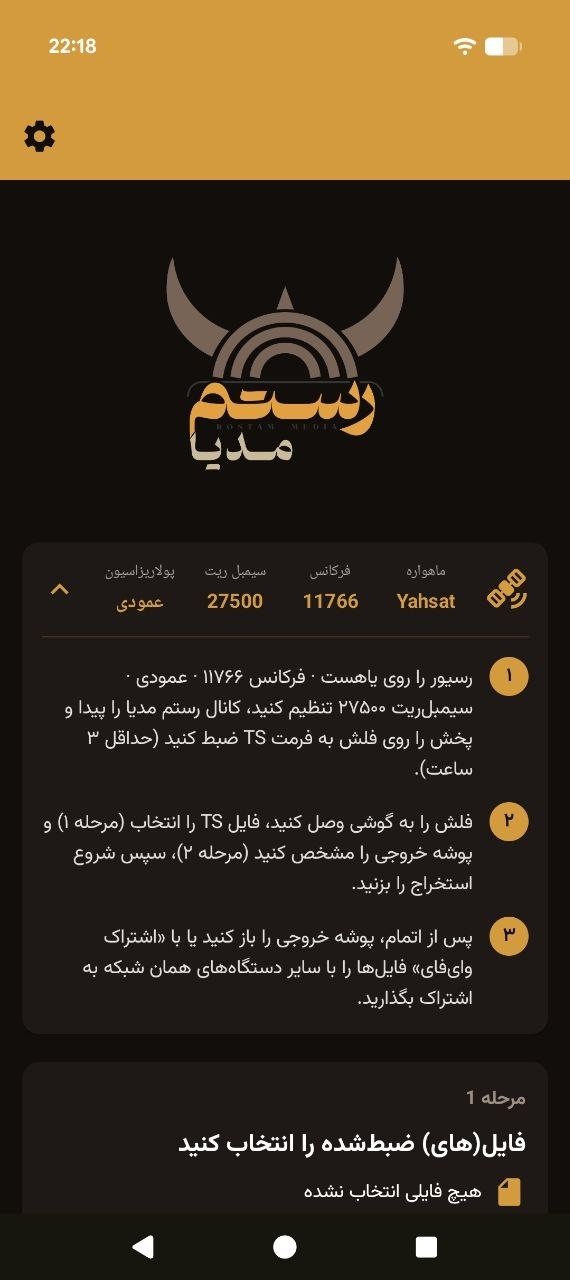
The key point is privacy by design: the receiver only listens, it never answers, so nobody on the sending side can identify or trace receivers. No internet is touched, no SIM card exists, no number is registered. Listening to a Persian radio station leaves the same absence of a trail — Rostam Media simply runs that logic with a much larger data capacity.
On its official website, Rostam Media describes itself in a single sentence: a service that delivers internet content via satellite.
What you need
Three pieces of hardware, no more.
A regular satellite dish. The one you already use for Persian-language channels works, as long as it looks at 52.5 degrees East — the Yahsat position. If your dish currently brings in the usual satellite channels, it is almost certainly aimed there already.
A receiver that can record to USB. This is the only hard requirement in the entire guide. The receiver must be able to save the incoming signal; nearly every modern receiver can.
A stick with at least 8 gigabytes of free space. The daily package runs to about 4 gigabytes, so anything smaller leaves the recording incomplete — or prevents it from starting at all.
If your dish has never been pointed at Yahsat, start with the dish and receiver guide; the aiming procedure and the basic receiver setup are explained there in full.
Tuning the receiver to Rostam's frequency
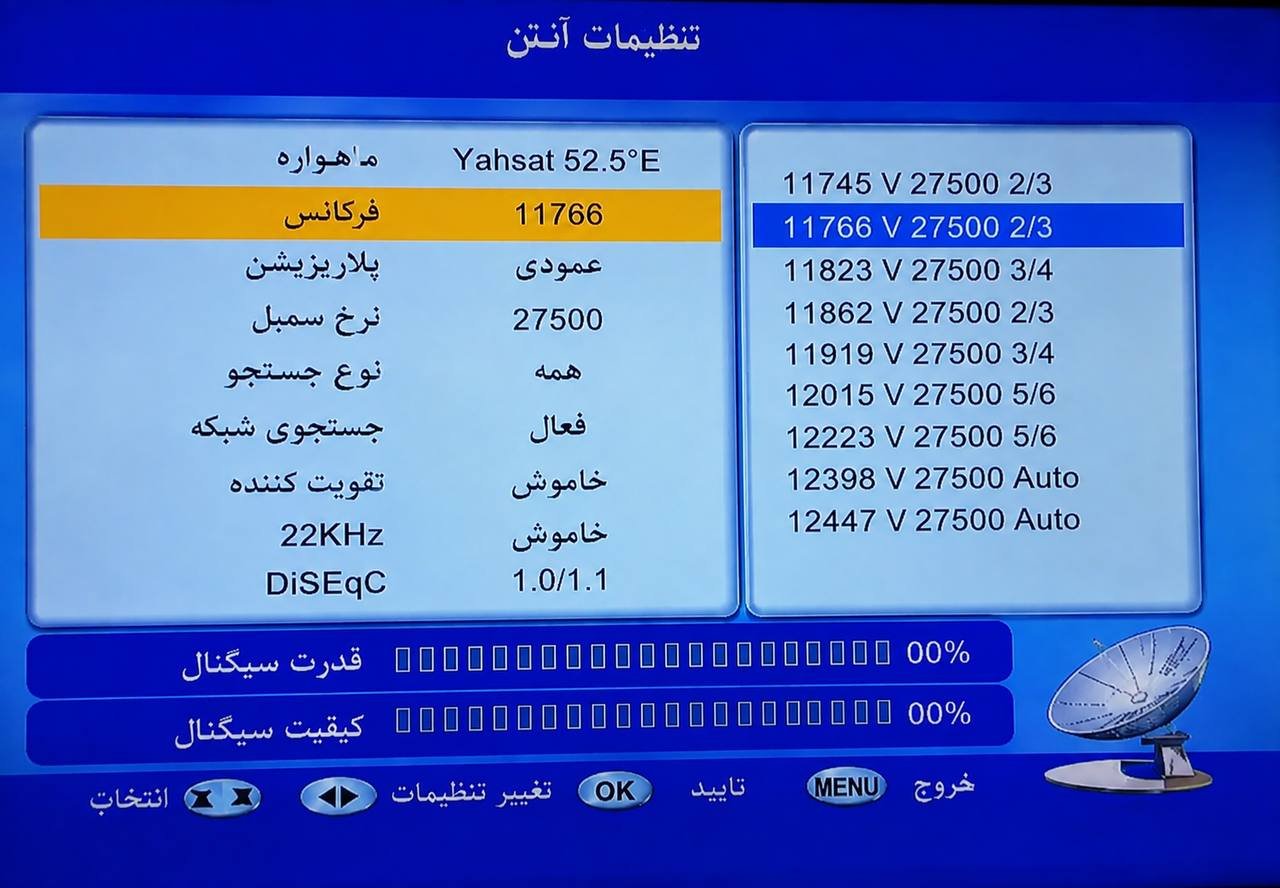
Now the part where most things go wrong: typing the frequency data into the receiver. A single mis-typed digit is enough to make the receiver come up empty, no matter how many times you scan.
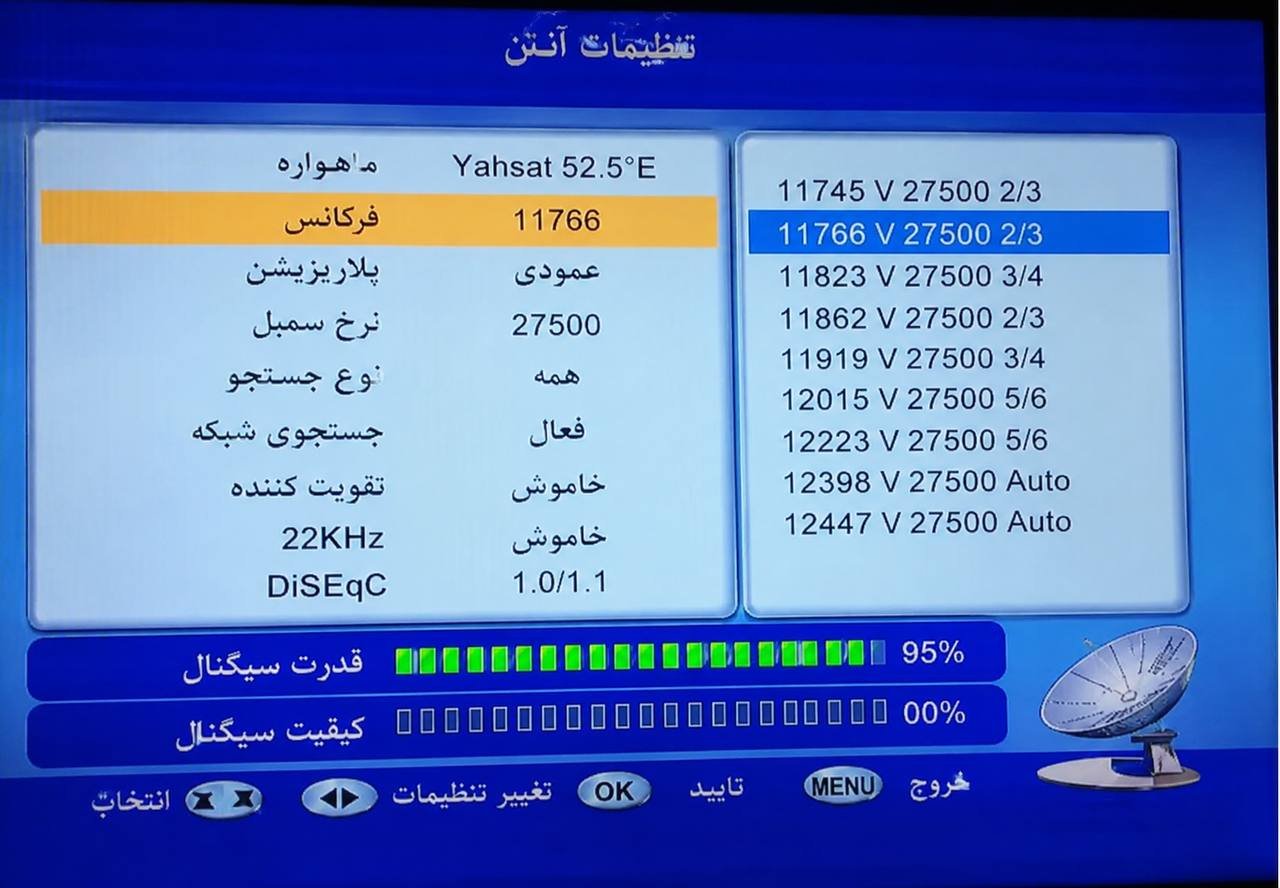
These four values go in exactly as written:
- Frequency
- 11766
- Symbol rate
- 27500
- Satellite
- Yahsat, 52.5° East
- Polarisation
- vertical
An automatic scan will not help you. It is built to find television channels and passes over data services such as Rostam Media, so the manual-search option inside the receiver's setup menu is the one you need.
The exact sequence:
- In the receiver's setup area, select manual search.
- Choose Yahsat from the satellite list.
- Type the frequency, polarisation and symbol rate exactly as listed above.
- Run the search.
When everything is correct, the two bars at the bottom of the receiver screen — signal strength and signal quality — both turn green. That is your confirmation: the receiver has locked on to the channel and is ready to record.
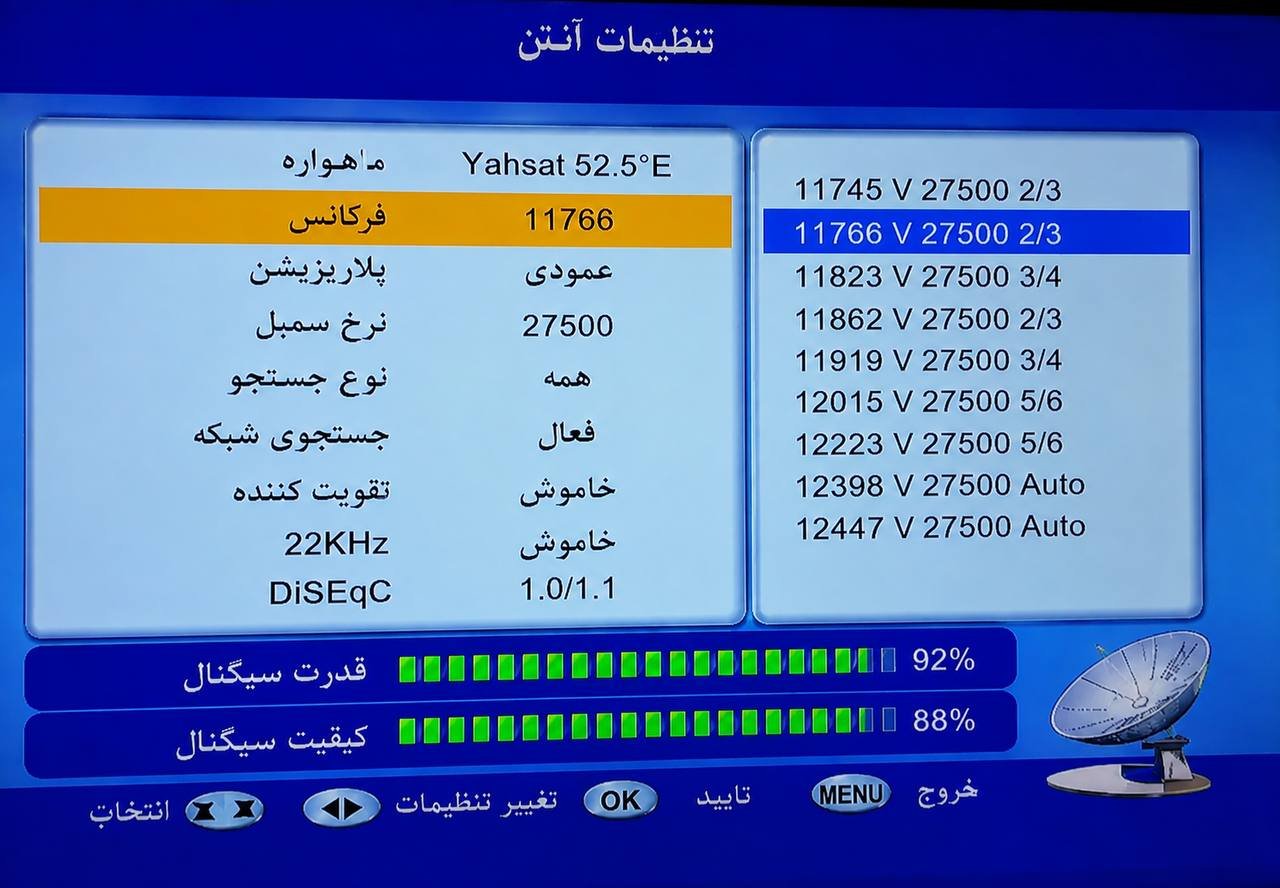
If one bar stays empty, the four numbers are not the problem; those cases are covered separately in the troubleshooting section below.
Recording from the channel
With a green signal, recording begins. The procedure is simple; the pitfalls are two timing details, and missing either one costs you a complete package.
- Insert the USB drive into the receiver.
- Switch to the channel named Rostam Media in the channel list.
- Press record and leave it running for 3 to 4 hours — the day's bundle only finishes arriving inside that stretch.
- Do not change channels while it records; the receiver stops the recording the moment you leave the channel.
The television itself can be switched off. What must stay on is the receiver, on the Rostam Media channel.
- When it finishes, the drive holds a file ending in .ts. Unplug it and attach it to a phone or computer — through an OTG adapter or a regular USB port.
Why 3 to 4 hours? The data travels at a fixed rate, and reaching about 4 gigabytes of content takes exactly that long. A shorter recording means an incomplete file, and extraction cannot repair what never arrived.
The second timing detail matters more: the daily package is rebuilt from scratch every day, and per the latest official announcement it is ready at 3:30 a.m. Iran time. Start your recording in that window or shortly afterwards and you have the best chance of catching the full, fresh edition. Recordings at other hours still work, but they are more likely to overlap with yesterday's package.
Extracting files with the Rostam software
What sits on the drive, a file ending in .ts, is not something you can watch or read yet — it is the satellite signal captured in one piece, not a tidy set of news items, videos and books. That is exactly the job of the official Rostam software: it opens the recording and pulls the real files out of it.
The current version is 2.0.0, available through these official channels:
- Google Play Android
- Direct APK Android
- Windows EXE installer
- macOS DMG file
- Linux tar.gz package
- iOS — still in development, not available yet
There is also an emergency route that keeps working even when the official site is filtered or blocked: send an empty email to begir@rostam.media, and the system automatically replies with fresh download links.
Once the software is installed, extraction is a straight line:
- 1Select the recorded .ts file(s) in the software.
- 2Choose a folder for the extracted files.
- 3Hit start extraction.
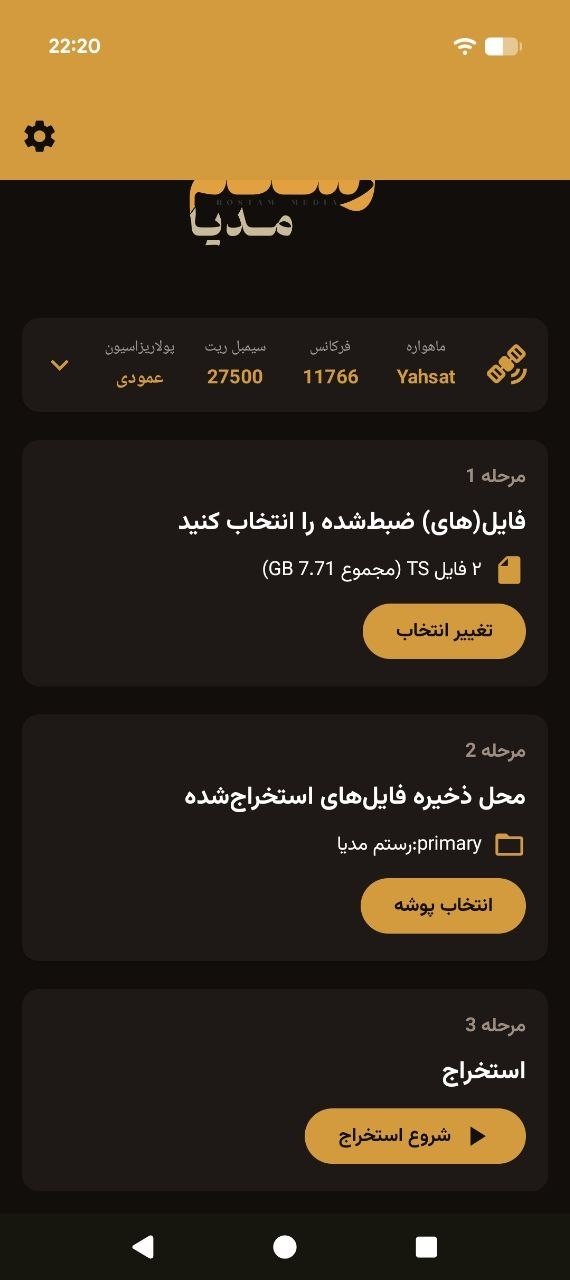
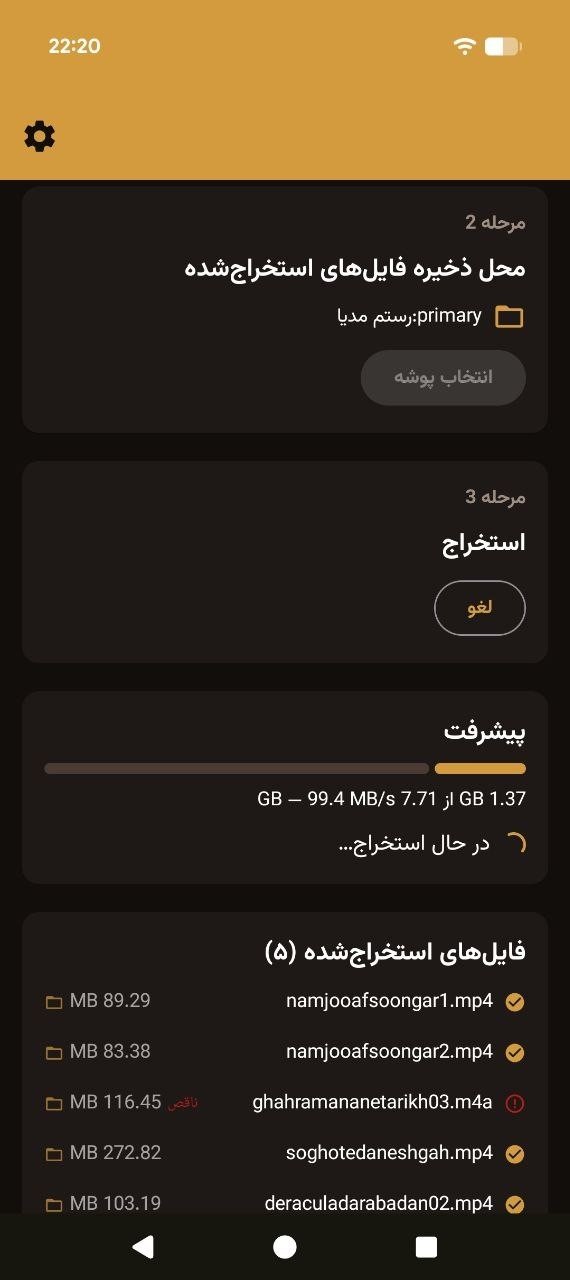
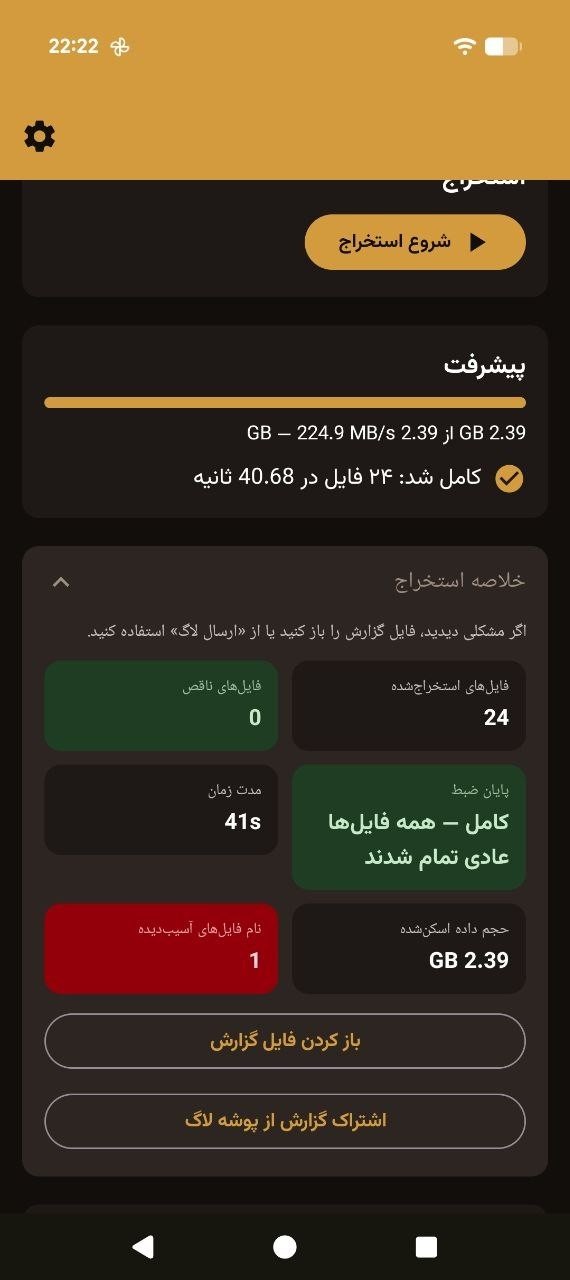
A few gigabytes usually take less than 1 minute to extract, because the software is only unpacking the file structure — no download, no heavy processing. At the end it shows a summary: how many files were extracted successfully, and if any file had an error, the error report can be viewed and sent to support.
Version 2.0.0 adds several new capabilities worth knowing: multi-part recordings with automatic ordering (if the recording was saved in several separate files, the software figures out the correct order itself), preserved folder structure on extraction, safer sharing over the local network, and a more precise diagnostic report for support.
Local sharing and other features
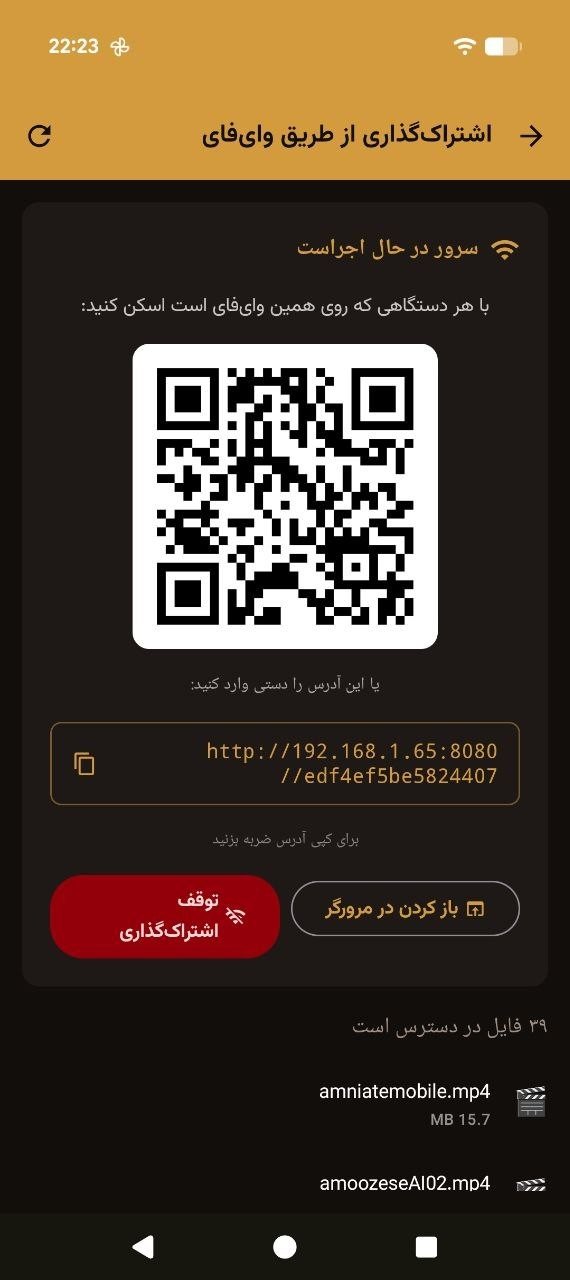
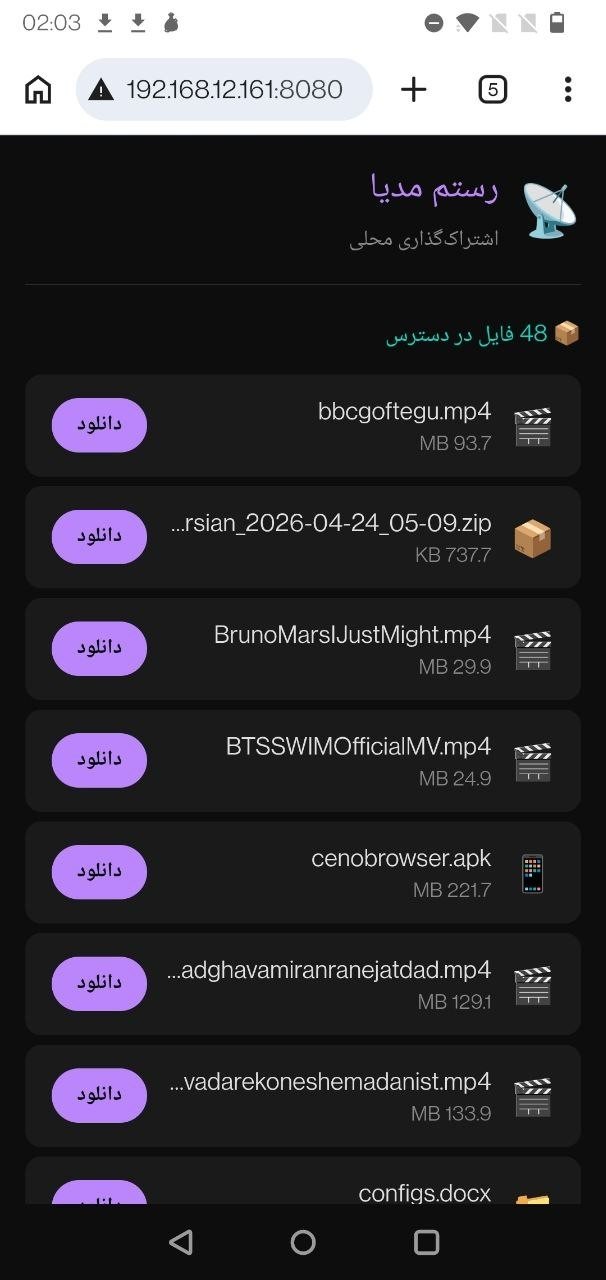
If you have several devices at home, not every one needs to record and extract separately. The local sharing feature of the Rostam software solves exactly that: the device that received and extracted the package makes the content available to other devices over the home Wi-Fi — no internet connection, no mobile data used. The other device just scans the QR code or opens the shown address in its browser.
Two more capabilities belong to this ecosystem.
The red button on your TV. On TVs that support HbbTV, the service shows hundreds of news channels from Telegram and X (formerly Twitter) — with no internet connection at all.
Circumvention tools in the daily package. In every day's package, alongside news and video, filters and tools for getting around censorship are included. The declared content list includes outlets such as BBC Persian, Iran International, Radio Farda, VOA Farsi, Manoto, Deutsche Welle, Independent and Euronews. The full daily list is shown on the Rostam TV channel itself and published on Rostam's Instagram and Telegram pages.
If nothing arrives
Almost every failure on this path lands in one of three buckets. Naming the bucket correctly is half the repair.
Full strength, empty quality. The dish is off by a fraction — nudge it one degree at a time and give the receiver a few seconds after every move.
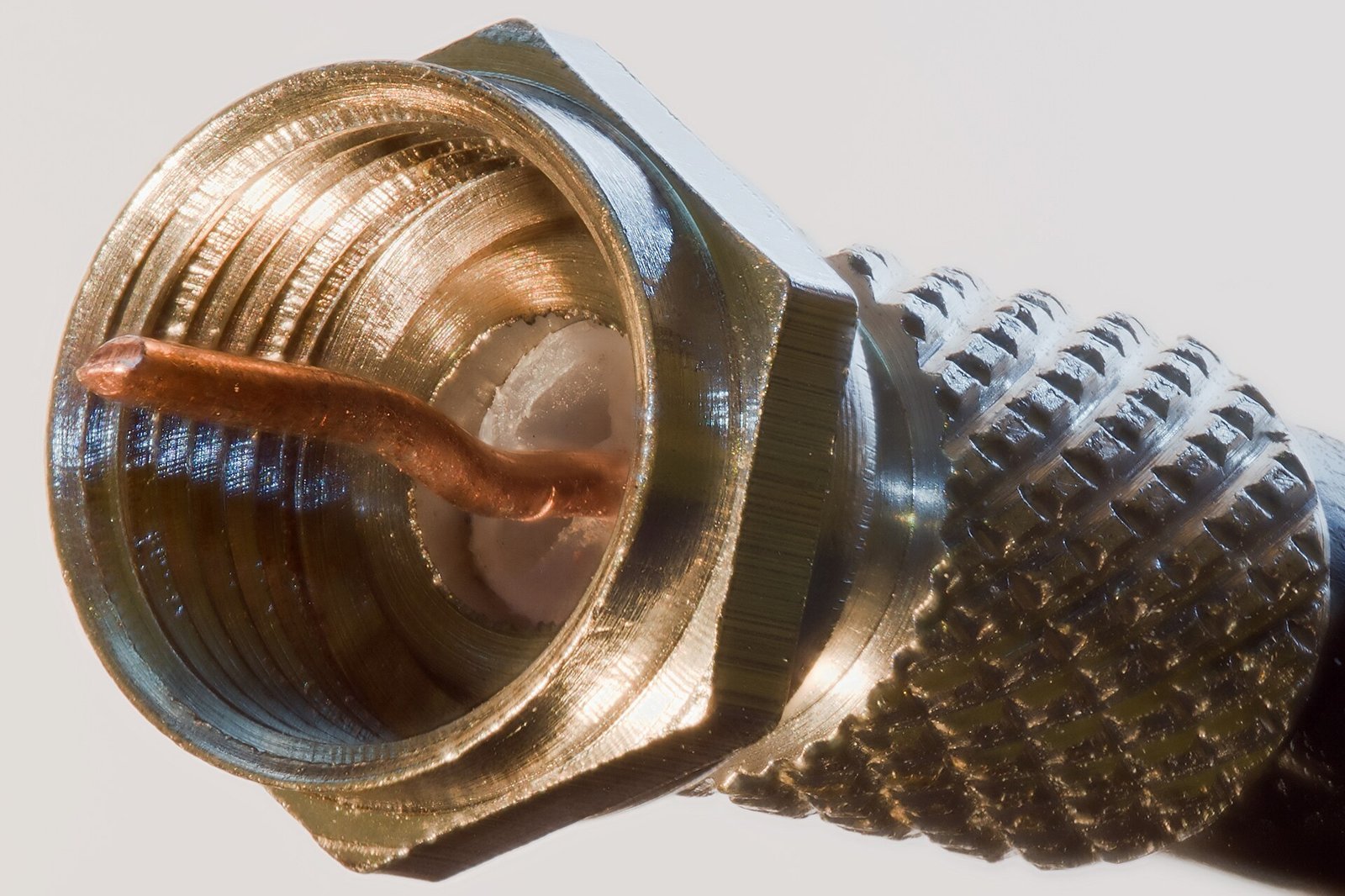
Two empty bars. Nothing is reaching the receiver at all; work through the cable, the socket and the LNB, the small unit at the dish's centre.
Good quality, no files. The recording ended too soon or the receiver never recognised the drive; run a longer recording and try a different stick.
If the problem survives all these checks, the official Rostam Media support is reachable through several routes: the Telegram bot RostamSupportBot, the Telegram channel Rostamchannel, the Instagram page rostam.media, and the automated email reply begir@rostam.media.
If you remember only three things
First: the whole process is one-way. The signal only comes from the satellite to your dish, and no data ever leaves your device — no internet needed, no trace left.
Second: the four tuning values (satellite, frequency, polarisation, symbol rate) belong in the manual search, not the auto-scan; one wrong value stops the whole path.
Third: timing matters. The fresh package is ready around 3:30 a.m. Iran time, and the recording must run 3 to 4 hours without the channel changing.
The one who stayed behind the blackout





The tools in this guide exist for the times when the internet goes dark; in the Dey 1404 uprising we dissected the anatomy of the war and recorded the names of those killed. Nazanin Esmikhani was 17, a final-year high-school student in Qazvin; she studied photography, worked at a photo studio, played guitar and setar, and was a very cheerful girl. According to Javidan Iran, she was hit by a sniper on 18 Dey 1404 while returning home with her parents in the city of Mohammadiye and died; she was buried in the cemetery of Hesar Kharvan village. To release her body, her family was made to pay 300 million tomans plus the gold she was carrying. A blackout silences witnesses as well as networks; the setup you complete today with this guide is for precisely those moments. The Toosheh survival guide is there for comparing the two routes.
A final note
If you have worked with the Toosheh channel before, the sky is the same — only the content and the brand changed. For working with extracted files, the Toosheh app guide is also published.